NEW! BUY MORE TO SAVE MORE! Purchase 3 to 10+ pcs of the same product and you receive 10% to 30% DISCOUNT.




 Ads & Affiliate
 Form Builders
 Management & Tools


 Bricks Add-ons
 Divi Add-ons
 Elementor Add-ons
 Oxygen Add-ons
 Gutenberg Add-ons
 Woocommerce Add-ons




CoreFramework Oxygen Builder integration: Technical review and lifetime setup guide


Building high-performance, maintainable WordPress websites requires a solid architectural foundation. For web developers using Oxygen Builder, maintaining consistent styling across large projects has historically required disciplined class management and meticulous visual organization. CoreFramework changes this dynamic completely by providing a modular, CSS-first visual framework engine that integrates directly into Oxygen Builder.
Evolving from the pioneering groundwork established by OxyNinja Core, CoreFramework extends modern CSS utility structures, custom properties, dynamic fluid scales, and variable management directly into the native Oxygen interface. In this comprehensive technical guide, we will explore the capabilities of CoreFramework Oxygen Builder Integration, examine how it optimizes web development workflows, and explain how to acquire a genuine lifetime license activation at ProPlugins.net.
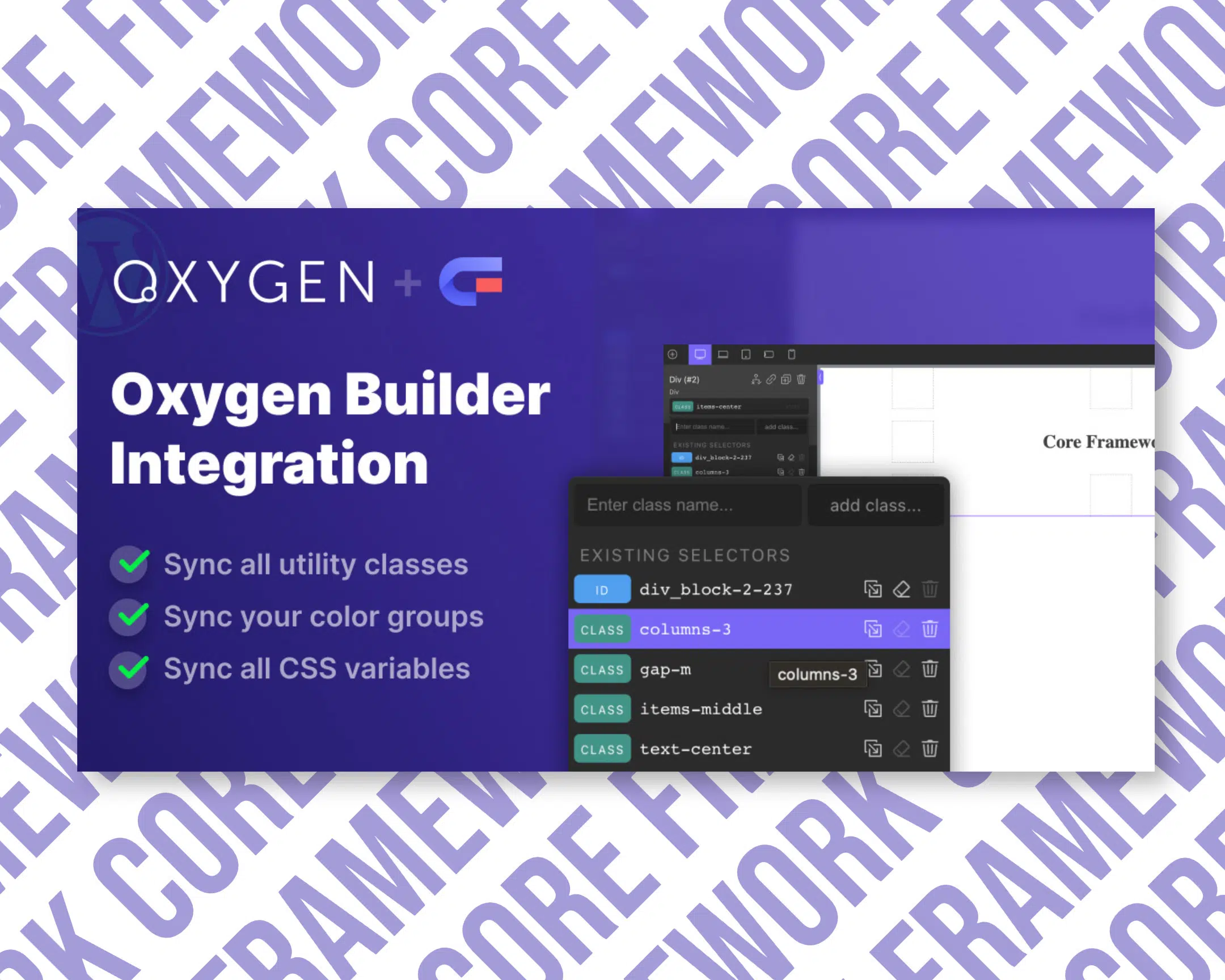
Understanding CoreFramework and Its Oxygen Builder Integration
CoreFramework is a modern CSS framework engine built specifically for WordPress visual page builders. Unlike traditional monolithic frameworks that enforce rigid, pre-styled components, CoreFramework provides a flexible visual management system for CSS variables, custom utility classes, fluid typography, dynamic spacing scales, and global color design systems. When paired with Oxygen Builder, it eliminates the frictionless barrier between CSS framework management and visual page building.
The transition from the original Core by OxyNinja to CoreFramework represents a massive leap forward in WordPress agency development architecture. While the original tool focused exclusively on Oxygen Builder, CoreFramework introduces a standalone framework engine architecture while maintaining a native visual synchronization layer inside Oxygen Builder. This allows developers to define unified color palettes, dynamic fluid typography rules, responsive spacing systems, and custom CSS variables in one centralized dashboard, which then instantly populates inside Oxygen.
Seamless Variable UI and Auto-Suggestion Integration
One of the primary friction points when working with CSS custom properties in Oxygen Builder is remembering complex variable names like var(--space-xl) or var(--primary-600). CoreFramework solves this with a deep visual integration into Oxygen input controls:
- Variable UI via Right-Click: Developers can right-click directly on any input field within Oxygen Builder to invoke the CoreFramework Variable UI selector. This intuitive overlay allows instant selection of global colors, spacing variables, and typography rules without leaving the editing canvas.
- Native Variable Auto-Suggestion: When typing custom properties into custom input fields, CoreFramework hooks into Oxygen native auto-suggestion system, displaying relevant variables contextually sorted by relevance.
- Bidirectional Synchronization: Any variable, color token, or utility class created or modified inside the CoreFramework admin control panel is reflected immediately inside Oxygen Builder visual backends and frontends without manual CSS export routines.

Core Technical Features of CoreFramework Oxygen Builder Integration
CoreFramework is designed with frontend performance and ultra-clean code output as core principles. It does not output unnecessary runtime JavaScript libraries or clutter DOM trees. Instead, it generates highly optimized, pure CSS custom properties and utility classes tailored specifically to your site architecture.
1. Dynamic Fluid Typography and Spacing Systems
Fluid typography and dynamic responsive spacing are essential for scalable web design. CoreFramework enables developers to define clamp-based dynamic typography sizes and container spacing calculations. Instead of writing dozens of rigid CSS media queries for desktop, tablet, and mobile breakpoints, fluid CSS variables adjust smoothly across all viewport widths.
2. Centralized Color System with Theme Synchronization
Managing color schemes across enterprise site structures can quickly become unorganized. CoreFramework allows you to build complete color palettes with semantic naming conventions (such as dynamic primary, secondary, base, and neutral shades). These color tokens synchronize directly with Oxygen Builder native color management fields, ensuring total brand consistency across every section and component layout.
3. Custom Class Builder and CSS Management
Beyond global variables, CoreFramework features an integrated CSS utility class generator. Developers can create lightweight, reusable utility classes directly within the CoreFramework UI dashboard. Oxygen Builder automatically recognizes these custom classes, giving developers visual controls to apply pre-configured class combinations without inflating stylesheet overhead.
Enhancing WordPress Development Workflows
When building enterprise WordPress platforms or custom agency client builds, efficiency and code maintainability are critical. Integrating CoreFramework with Oxygen Builder streamlines development in several key operational areas:
- Accelerated Development Speed: Eliminates repetitive visual styling by leveraging pre-configured CSS utility classes and synchronized design tokens.
- Standardized Client Handoff: Restricts visual drift across multi-author sites by enforcing consistent spacing, font hierarchy, and color tokens throughout custom layout structures.
- Composability with Essential WordPress Plugins: To build a fully optimized agency stack, pairing CoreFramework with tools like HappyFiles Pro for visual media library organization and BerqWP Business for automated site speed optimization ensures fast building workflows and outstanding Core Web Vitals scores. Furthermore, for client builds requiring transactional email reliability, integrating Gravity SMTP ensures high-deliverability email routing across all customer touchpoints.
Why You Must Avoid Nulled/GPL Plugins
When searching for premium WordPress plugins and page builder extensions, developers often encounter cheap GPL repository sites or downloadable nulled copies. Using nulled or cracked versions of software like CoreFramework carries severe risks for your web infrastructure and business reputation:
- Malware and Backdoor Security Threats: Nulled software distributions are frequently injected with malicious PHP code, backdoor admin access scripts, hidden web shells, and SEO spam redirects that compromise your server database.
- Lack of Automatic Dashboard Updates: CoreFramework requires consistent software updates to maintain seamless compatibility with new core WordPress releases and ongoing Oxygen Builder framework updates. Nulled plugins break upon major core update cycles, causing visual layout failure or critical PHP errors.
- Broken Feature Synchronization: Oxygen Builder integration relies on active API bridges and precise code hook execution. Modified GPL versions frequently corrupt licensing routines, which disables variable auto-suggestion and synchronized visual panel features inside Oxygen Builder.
- Legal and Compliance Vulnerabilities: Utilizing pirated software violates software licenses and enterprise client data security compliance standards.
At ProPlugins.net, we completely reject GPL keygens, unauthorized software modifications, and nulled distribution models. We provide genuine, original license activations backed by official automatic updates delivered directly within your WordPress admin dashboard.
How Our Original License Works
We provide authentic lifetime license activations for CoreFramework Oxygen Builder Integration without distributing cracked zip files or unauthorized GPL modifications. Our activation process is 100% secure, transparent, and direct.
Install the Temporary Login Without Password plugin by StoreApps. Generate a link with name Support, English language, expiring in 3 days. Send us the link via the Orders Request Activation button.
For detailed step-by-step instructions on setting up temporary activation credentials safely, please refer to our full Temporary Login Access Guide.
Once our technical team receives your secure temporary access link, we complete the original software license activation directly through official activation channels. After your license activation is completed, your website receives automatic updates directly inside the native WordPress dashboard, and you can safely revoke and delete the temporary access link immediately.
Conclusion
The CoreFramework Oxygen Builder Integration represents the modern benchmark for CSS dynamic framework management in WordPress visual builders. By bringing unified CSS variables, fluid responsive typography, visual right-click selectors, and native auto-suggest input fields directly into Oxygen Builder, it dramatically elevates development speed while ensuring ultra-clean code output.
Invest in original, secure software for your web assets. Secure your official CoreFramework Oxygen Builder Integration Lifetime License Activation today at ProPlugins.net and elevate your Oxygen Builder workflow with total confidence.